
Make Omnibus compliance visible, not painful.
Arki Price History - Omnibus tracks lowest prices over a configurable lookback window across your markets and surfaces them in a clean, on‑brand widget and admin dashboards.
Widget & admin preview
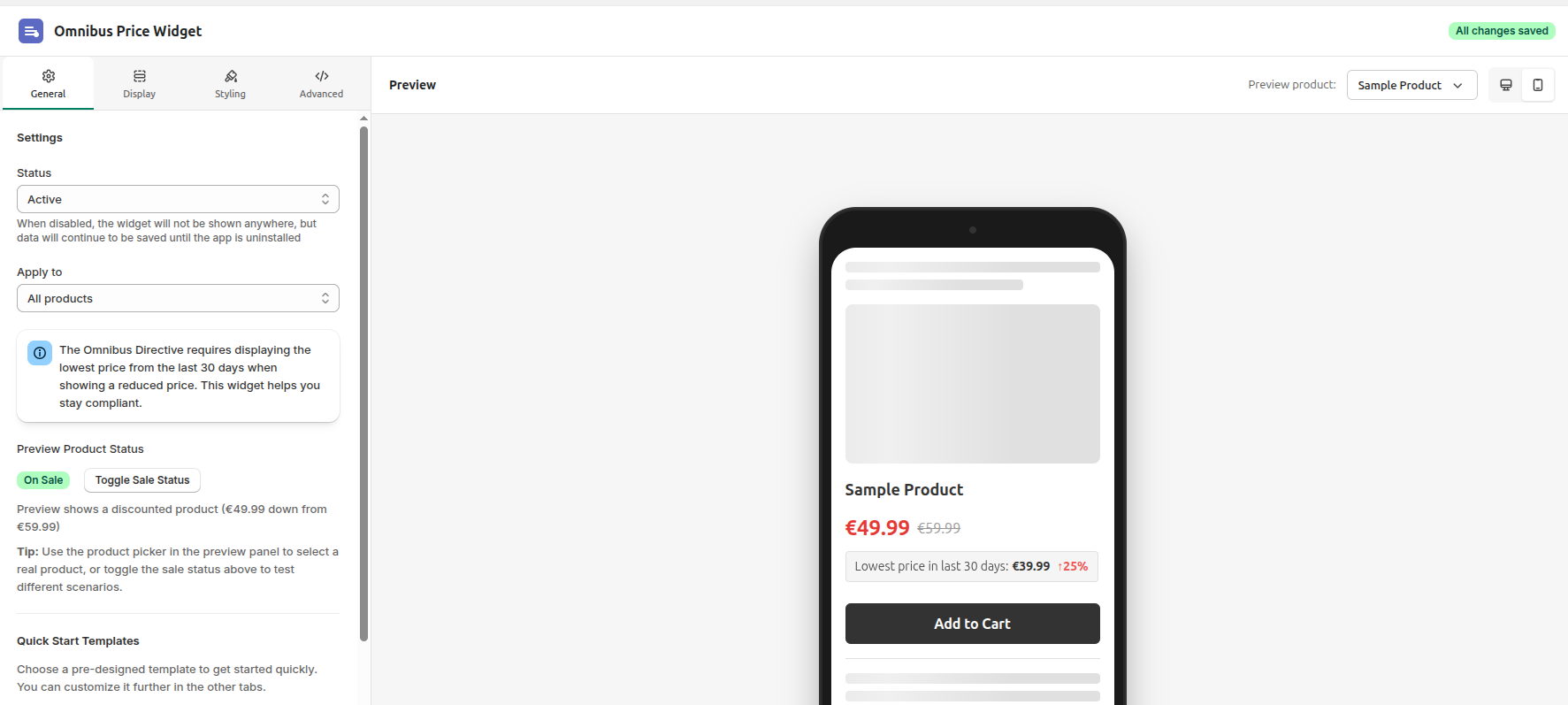
Real UI from the app: settings, widget preview and dashboard views designed for Omnibus price history workflows.
Why compliance teams care
Price history that your legal team and shoppers can trust.
Arki keeps a clean audit trail of price changes for your chosen lookback period and exposes exactly what you need on the storefront—no spreadsheets, no custom scripts.
Omnibus‑ready price history
Store prior‑lowest prices per variant and market for your configured lookback window, with clear rules for when and how the widget appears on discounted products.
Dashboards for every price change
See which products changed price, when, in which market, and how that affects your overall pricing strategy.
On‑brand widget experience
Configure copy, formatting and behavior so the compliance message fits naturally into your PDP design.
See every price move
A dashboard for your pricing history.
Track snapshots, lowest prices for your lookback window and recent price changes from a single place, with separate views per market and variant.
- Understand which products change price most often.
- Compare primary market vs. regional markets at a glance.
- Quickly answer "what was the prior lowest price?" for any sale.
Example: recent price changes and lowest prices
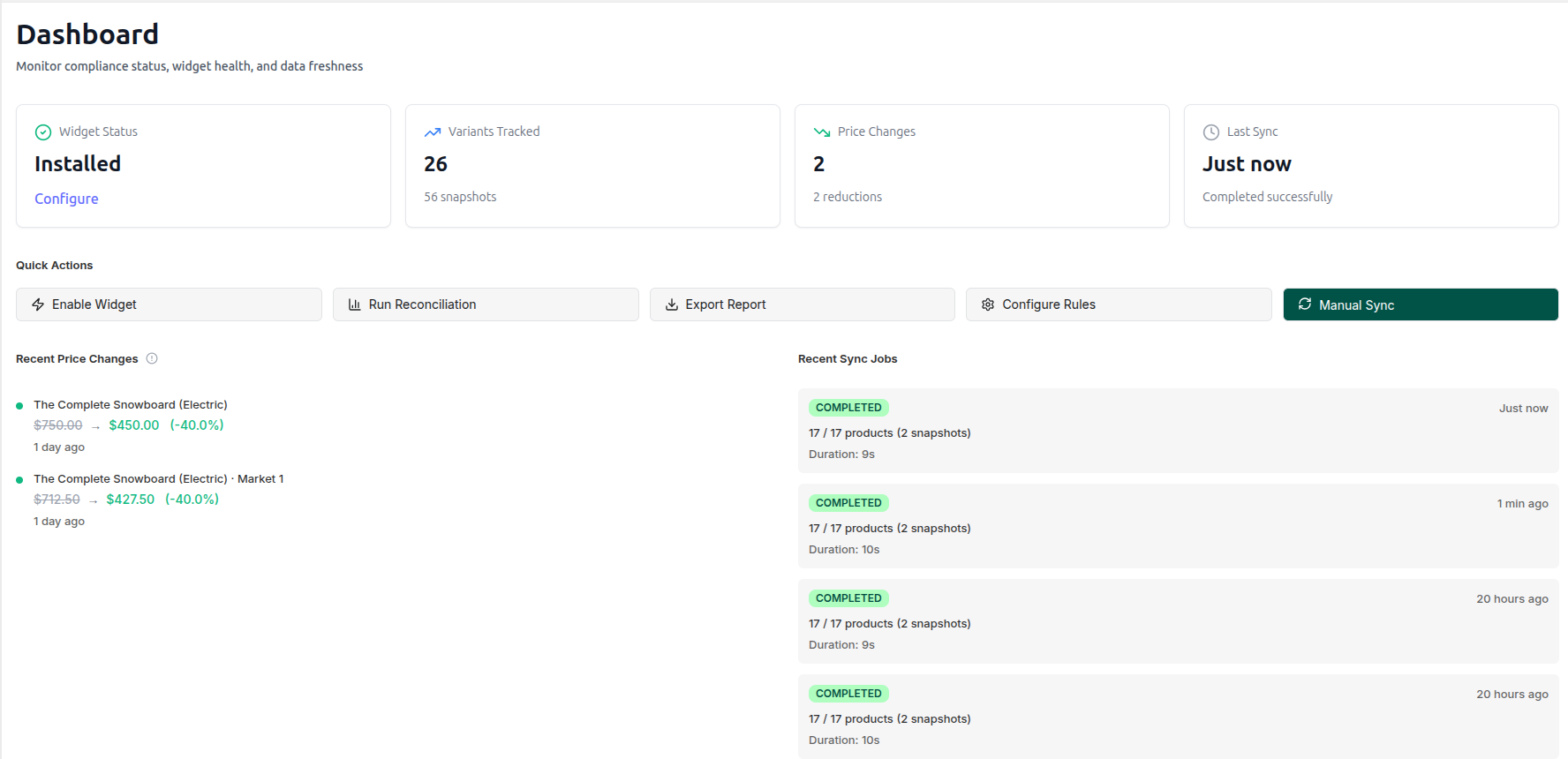
Illustrative UI from the Omnibus dashboard. In your store, this view is powered by real product data and snapshots.
How it works
From install to compliant price history.
Arki is designed to plug into your existing pricing workflows while keeping legal happy.
- 1
Install from the Shopify App Store
Connect your store and let Arki run an initial sync of prices and markets to build a clean baseline.
- 2
Configure Omnibus rules & widget
Choose lookback days, display rules and widget styling so you show the prior‑lowest price for your configured window exactly where you need it.
- 3
Track changes & stay audit‑ready
Use the dashboard and product price history views to monitor changes, exports and edge cases across all markets.
Questions
Frequently asked questions
A quick preview of how Arki Price History - Omnibus is being designed for real‑world compliance teams.
Will it cover the EU Omnibus 30‑day lowest price rule?Details
Yes. The core of the app is built around storing and exposing the prior 30‑day lowest price per variant and market, so you can show the right reference price whenever you run a discount.
Does it work with Shopify Markets and multiple currencies?Details
The app is designed for multi‑market setups. It tracks price history per market, lets you inspect individual regions and shows which market a 30‑day low comes from.
Can I control when the widget appears?Details
Yes. You will be able to configure rules such as "only show when price is reduced" or "always show prior‑lowest" to match your legal and UX preferences.
Ready to install?
Add Arki Price History - Omnibus to your store.
Install from the Shopify App Store and start showing compliant prior‑lowest price messaging on your product pages.